If you reinstall your computer, your Windows is (still) clean of any viruses, adware, spyware, dialers, key loggers, Trojans, scum ware, malware, undesirable toolbars and other irritant invaders. I prefer to make a backup of your new Windows system, to solve these issues fast and easy in the future. If you notice something is wrong (eg slow computer, not able to remove start pages or toolbars, your firewall comes up with a sudden internet access by an unknown application), you need to do some cleaning if there is no system backup available. Popular application you can use for this purpose are Ad-Aware and Windows Defender.
TIP: With a system backup of a clean system you actually don't need these kind of tools. After a system restore, you a trouble free!
DOWNLOAD THE LATEST VERSIONSMake sure you download the latest versions of the mentioned applications, else they won't recognize the new threats. |
STOP ACTIVE PROCESS FIRSTIf a infection is still active, it will be difficult to remove it from your Windows. To solve this issue you can stop the process first on the tab Processes of the Windows Taskbar (CTRL-ALT-DEL). Actually it's better to do a scan in safe mode (press F8 at Windows startup). |
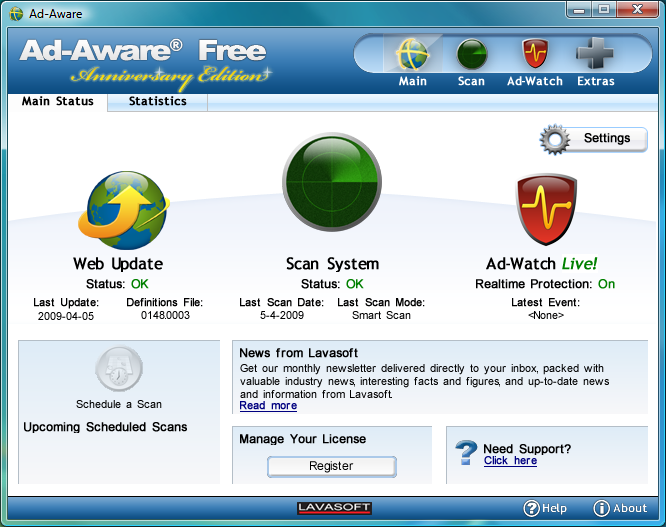
With Ad-Aware Free (download: www.download.com) the system can be scanned easily and quickly for known malware. After installation, the user is informed that there is no licence (yet), this message can be ignored. Click Scan System, tab Smart Scan, button Scan Now for a quick scan (if desired a more intensive scan can be done on the tab Full Scan). Ad-aware will always find something, so don't worry. At the end of the search, you are able to delete, ignore or quarantine the identified items. After clicking the button Perform actions now, Ad-Aware will execute the chosen options.
|
|
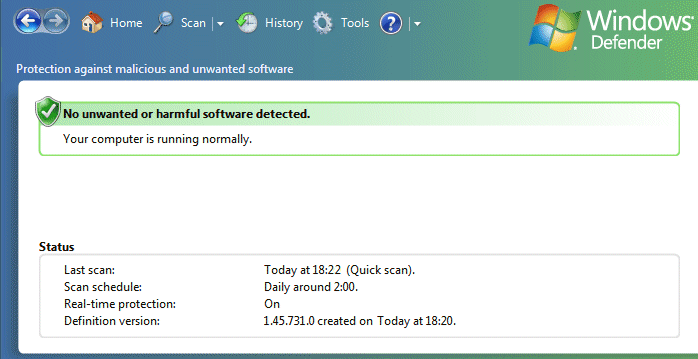
Windows Defender from Microsoft (download: www.microsoft.com) is a practical tool for finding and removing malicious and other unwanted software. By default, this software is delivered with Windows Vista but it can be used for free within Windows XP as well.
Changing the HOSTS-file makes it possible to block malware and advertising because this file is checked before asking the DNS-server of your internet provider. If one of the known websites is requested, the request will be routed to the IP-address 127.0.0.1 (this IP-address corresponds with your own computer). Because adds are blocked, surfing the internet will speed up.
Before changing the HOSTS-file, back-up the original file. This can be done by copying the file C:\WINDOWS\SYSTEM32\DRIVERS\ETC\HOSTS to a safe location. The original file can be opened with a simple text editor like notepad (be aware: the HOSTS-file has no extension!). At www.mvps.org/winhelp2002/hosts.htm you can download a new HOSTS-file. Open the link www.mvps.org/winhelp2002/hosts.txt, and copy the content(CTRL-A followed with CTRL-C), paste it (CTRL-V) into the original file and save the changed HOSTS-file.
REMEMBER: Don't forget you have changed the HOSTS-file! This file can cause problems like not being able to open websites. If you know which IP-address is blocked, remove the associated row from the HOSTS-file.
With a tool like RootkitRevealer (download: www.microsoft.com/technet/sysinternals/Security/RootkitRevealer.mspx) you can trace the newest threats: rootkits. There are different forms of rootkits but they have all the same property to hide themselves almost perfectly. That's the reason why they are difficult to track without the right tools. A file may look very small, but can actually be very big, full with harmful code. You are able to trace rootkits, it takes some expertise to work with this tools.
© 2001-2022 - Menno Schoone - SchoonePC - Rotterdam - The Netherlands